
Screenshots
App details
- Updated
- Jun 4, 2009
- Language
- Spanish,English
- Developer
- Gyrus Solutions
- Category
- Mobile
SoftPas in:
This product is also available in the following languages:
About Easy Time Planner
Download Easy Time Planner – time management, task organizer, Eisenhower method, productivity tool, task planner, prioritize tasks, schedule tasks, organize tasks, daily planner, task management, work planner, task tracking
Overview
Easy Time Planner is a productivity-focused mobile application designed to help users enhance their time management through structured task organization. Built around the Eisenhower Method—a proven framework for prioritizing tasks based on urgency and importance—the app enables users to categorize their responsibilities into four distinct quadrants: urgent and important, important but not urgent, urgent but less important, and optional. This method supports more strategic decision-making, reducing time spent on low-impact activities and increasing focus on high-value tasks. The app is particularly useful for professionals, students, and individuals managing multiple personal and work-related responsibilities.
Target users include anyone seeking a simple yet effective way to organize their daily routines without relying on complex tools. Its minimalistic design and straightforward functionality make it accessible to users across all technical skill levels. Although the developer, Thomas P. Larson, is listed, no additional background information is available. The app has been available since June 4, 2009, indicating a long-standing presence in the productivity space, though its current development activity remains unclear. Real-world use cases include planning work projects, managing academic deadlines, and organizing personal goals with greater clarity. In the broader app ecosystem, Easy Time Planner fills a niche for lightweight, method-driven task management solutions that emphasize clarity over feature overload.
Key Features & Functionality
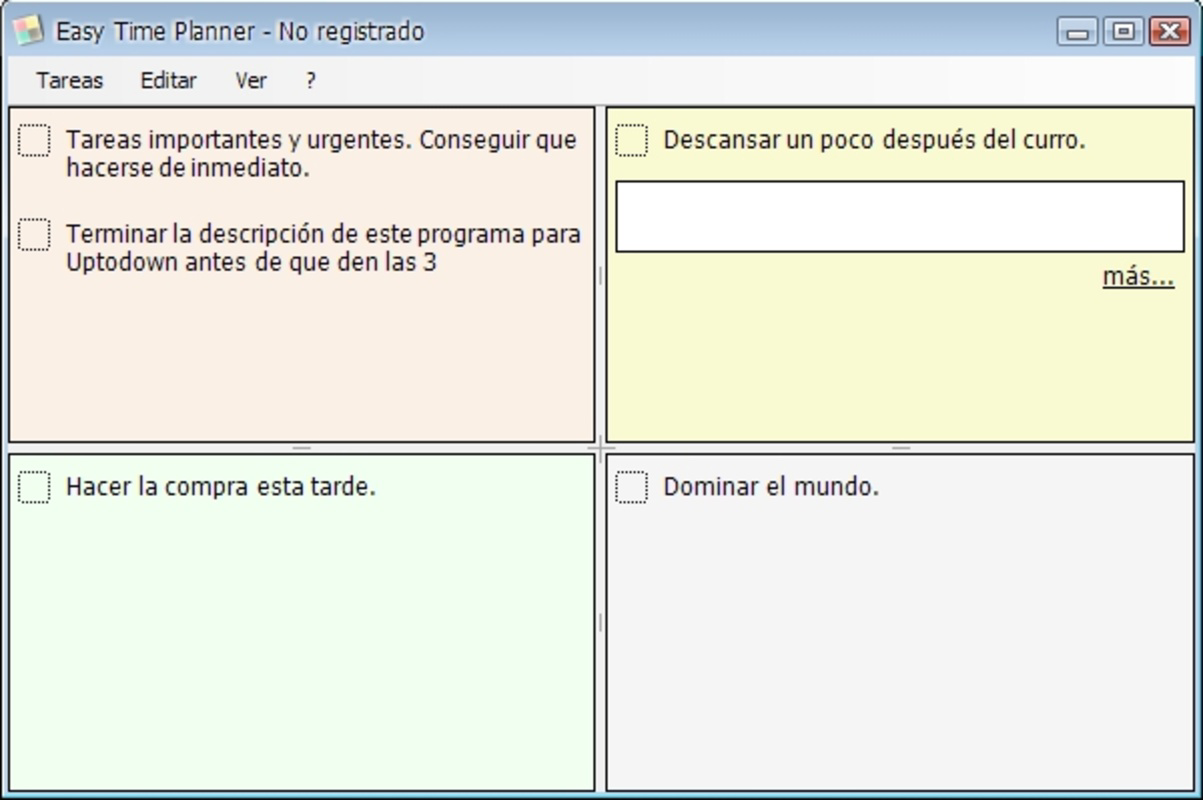
- Eisenhower Method Organization: Tasks are automatically sorted into four quadrants based on urgency and importance. This visual framework helps users identify which tasks to do immediately, schedule, delegate, or eliminate.
- Deadline Management: Each task can be assigned a custom deadline, helping users maintain accountability and plan their workflow with greater precision.
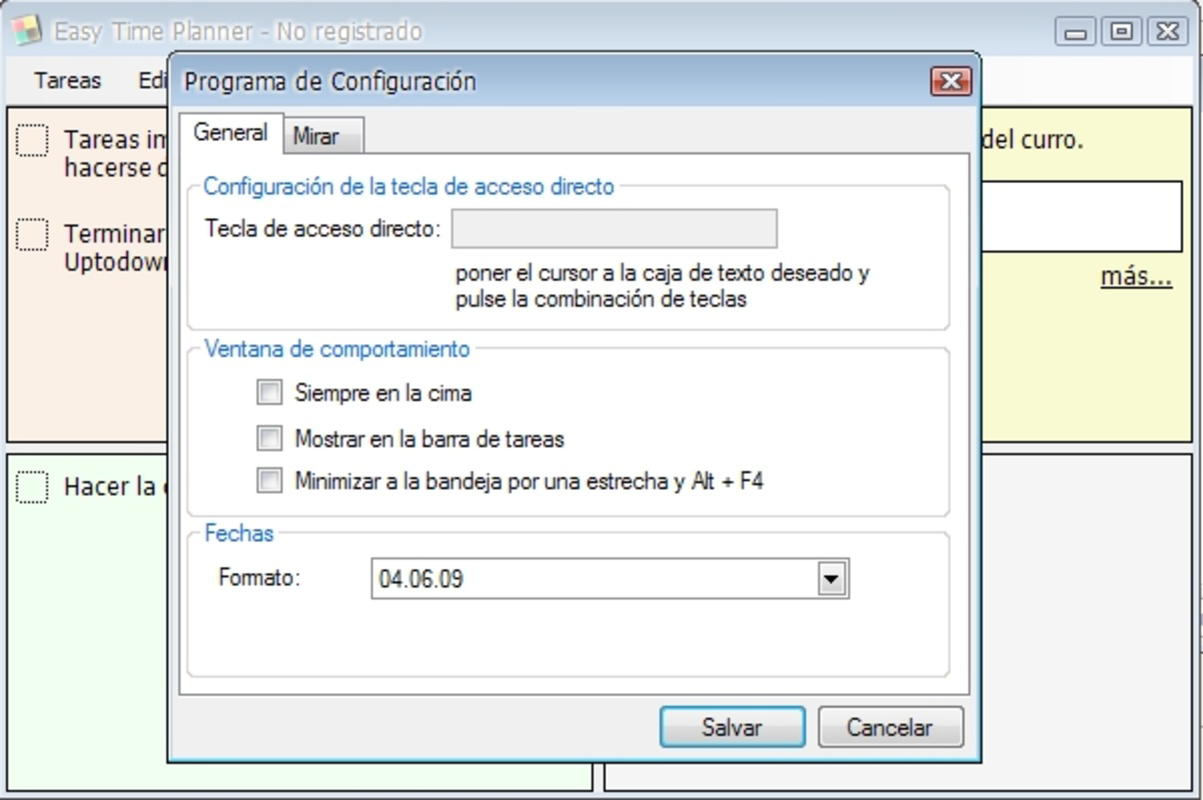
- Customizable Interface: Users can adjust the app’s visual layout and preferences to suit their personal workflow, enhancing comfort and long-term engagement.
- Task Prioritization Engine: The app uses the Eisenhower framework to dynamically reorder tasks, ensuring the most critical items are highlighted and addressed first.
- User-Friendly Design: The interface is clean and intuitive, minimizing learning curves and enabling immediate usability for new users.
For example, a student preparing for exams might use the app to mark study sessions as “important but not urgent,” while scheduling urgent assignments in the “urgent and important” quadrant. A professional could use it to delegate routine emails (less important) and focus on strategic planning tasks. The app’s ability to structure tasks visually supports better decision-making and reduces cognitive overload. These features collectively contribute to improved daily efficiency and long-term goal achievement.
Interface, UX & Performance
Easy Time Planner features a clean, minimal interface designed to prioritize clarity over visual complexity. The layout organizes tasks into four clearly labeled sections, each corresponding to a quadrant of the Eisenhower Method. Navigation is straightforward, with intuitive touch-based interactions that allow users to add, edit, and mark tasks as complete with minimal effort. The app maintains a consistent visual hierarchy, using color coding and layout separation to distinguish between task categories.
Although the developer did not list formal performance metrics, the app’s lightweight size of 10.2 MB suggests optimized resource usage. It is likely to run smoothly on a wide range of Android devices, including older models. Responsiveness appears to be consistent with the app’s simple functionality, with no reported lag in task input or navigation. Stability is expected to be high given the app’s long-standing availability and basic feature set. The absence of advanced animations or background processes contributes to a reliable user experience. Users can expect consistent performance across different screen sizes and device configurations, though specific compatibility details were not provided.
Platform Compatibility & Technical Requirements
Easy Time Planner is available exclusively on the Android platform. The current version is 1.0.2, with a file size of 10.2 MB, making it a lightweight download suitable for devices with limited storage. The app is free to install and use, with no in-app purchases or subscriptions reported. While the developer did not specify minimum OS requirements, the app’s release date of June 4, 2009, suggests compatibility with older Android versions, though users should verify device compatibility before installation. No additional hardware or software prerequisites were listed. The app is designed to function without requiring constant internet access, supporting offline task management.
Pros and Cons
Pros
- Uses the proven Eisenhower Method for effective task prioritization
- Lightweight and fast, with a small file size of 10.2 MB
- Free to download and use with no hidden costs
- Simple, intuitive interface suitable for all skill levels
- Supports offline functionality for uninterrupted task management
Cons
- Developer did not provide detailed system requirements or compatibility information
- No cloud sync or backup features mentioned
- Only available on Android, with no iOS version disclosed
- Version history and update frequency are not publicly documented
- Limited customization options beyond interface appearance
FAQ
Is Easy Time Planner safe to download?
Yes, the app is free and available through official Android channels. As a lightweight productivity tool, it does not require excessive permissions, minimizing security risks.
Can I use Easy Time Planner offline?
Yes, the app is designed to function without an internet connection, allowing users to manage tasks anytime, anywhere.
Is there a version for iOS devices?
The developer did not disclose an iOS version. The app is currently available only on Android.
How often is Easy Time Planner updated?
Specific update frequency was not provided. The app’s version history is limited, and no recent updates have been documented.
Does Easy Time Planner support task syncing across devices?
There is no information indicating cloud sync or cross-device functionality. All data appears to be stored locally on the device.
Final Thoughts
Easy Time Planner stands out as a reliable, no-frills solution for individuals seeking to improve their daily productivity through structured task management. By leveraging the Eisenhower Method, it provides a clear, actionable framework for decision-making that is both effective and easy to adopt. Its lightweight design, free access, and intuitive interface make it accessible to a broad audience, from students to working professionals. While it lacks modern features like cloud sync and cross-platform availability, its simplicity is a strength for users who value focus over complexity. For those looking to take control of their time without the distraction of unnecessary tools, this app delivers real value. Download Easy Time Planner now.
Guides & Tutorials
How to install Easy Time Planner
- Click the Download button above.
- Once redirected, accept the terms and click Install.
- Wait for the Easy Time Planner download to finish on your device.
How to use Easy Time Planner
This software is primarily used for its core features described above. Open the app after installation to explore its capabilities.
User Reviews
No reviews yet. Be the first to share your experience.
You may also like
more
Que no te pillen¡
About !Que no te pillen¡Reviewed by Jason A. BilbreyShow MoreShow Less

3D Combat Zone
About 3D Combat ZoneOriginally released in 1983, 3D Combat Zone immerses players...

666: El día del portal
About 666: El día del portalOn June 6, 2006, Agent P. Stone uncovers a sinister...

80 in 1 Best Flash games
About 80 in 1 Best Flash games 80 in 1 Best Flash games is a collection of 80 fl...

ABYSS SEEKERーーWhat Do You See Deep in The Abyss
About ABYSS SEEKERーーWhat Do You See Deep in The AbyssIn ABYSS SEEKER, players...

ACA NEOGEO THE KING OF FIGHTERS 2002 for Windows
About ACA NEOGEO THE KING OF FIGHTERS 2002 for WindowsTHE KING OF FIGHTERS 2002,...